Customizable confirmation dialog

Sofię_Nalimską
Project Manager
Recently, while developing a project, the Powercode Android team has had to create dialogs. This topic is quite well covered in Dialogs, so you have a number of options:

 As you can see, for dialog parameters, where some of them are optional, we applied a Builder pattern:
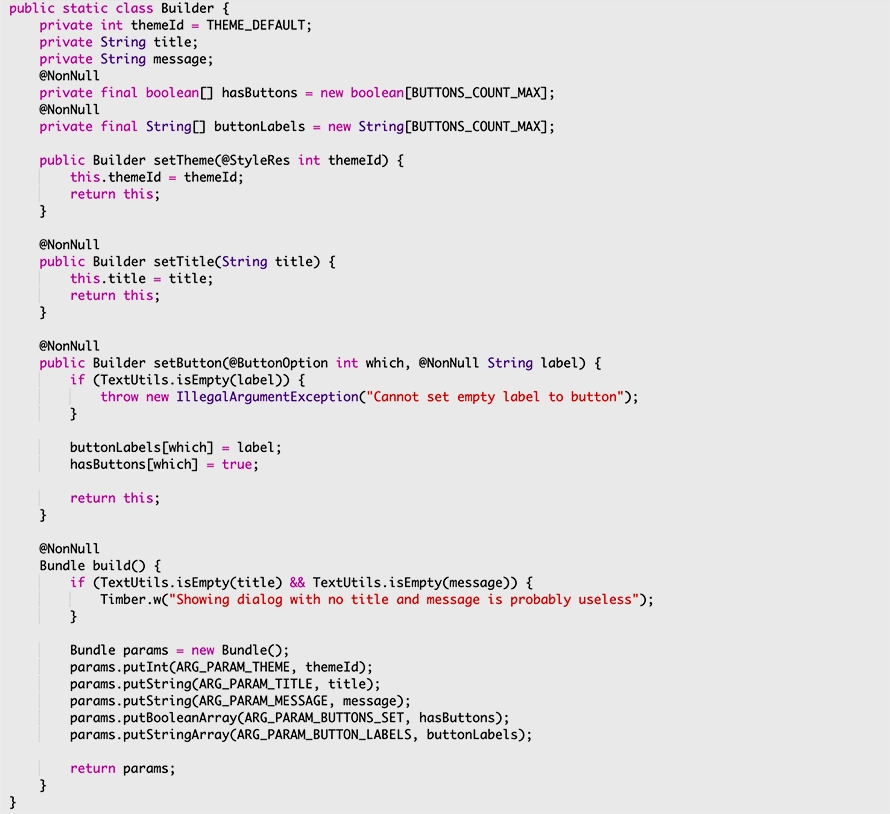 Build() method assembles Bundle of fragment’s arguments.
A straightforward way to interact with Fragment is via interface. In our case:
Build() method assembles Bundle of fragment’s arguments.
A straightforward way to interact with Fragment is via interface. In our case:
 To alleviate a pain of having to implement interface completely, we can add default implementations, thanks to partial support of Java 8.
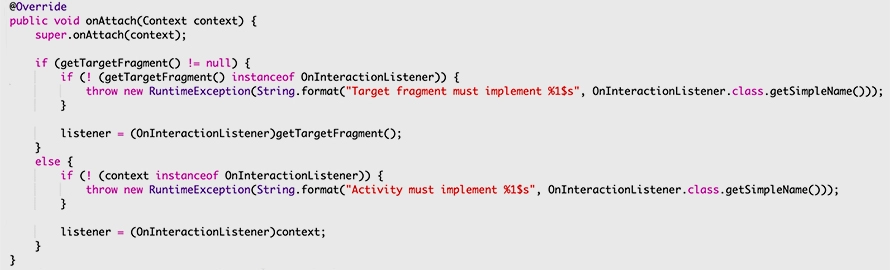
To wire DialogFragment with another Fragment, a developer should use setTargetFragment() . For Activity cast context:
To alleviate a pain of having to implement interface completely, we can add default implementations, thanks to partial support of Java 8.
To wire DialogFragment with another Fragment, a developer should use setTargetFragment() . For Activity cast context:
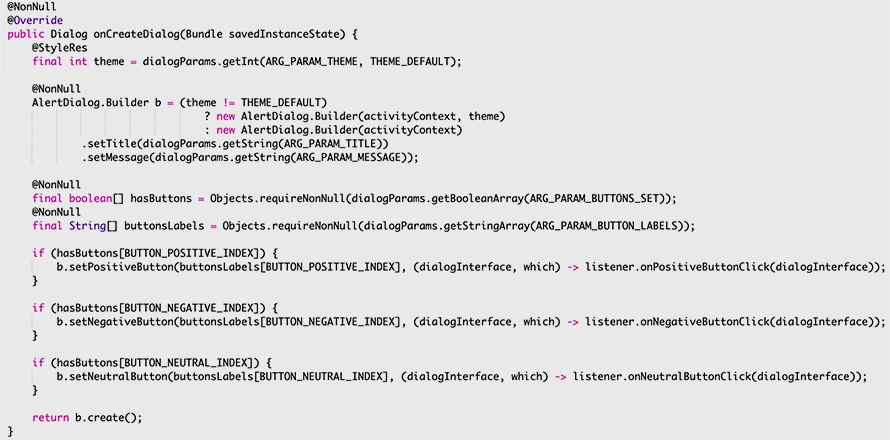
 All required data is passed from the outside, and here is a dialog setup:
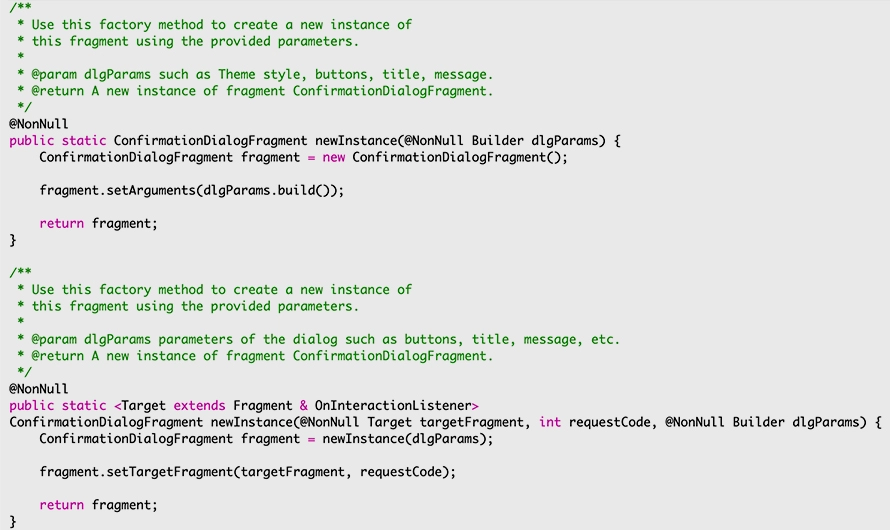
 To set up the dialog, instantiate and pass parameters like this:
 Target fragment use case:
 Host Activity use case:
 And finally:
 The proposed solution is not intended to be a “Swiss Army Knife” for dialogs, but may save developer’s precious time and can be relatively easily adapted for your needs.
- Use AlertDialog directly inside its host, which in most cases is either target Fragment or Activity.
- Extend DialogFragment and implement as if it is a standard Fragment.
- Style Activity as Dialog with an appropriate theme, e.g. Theme.Holo.Dialog
- Use third-party library with custom-made dialogs.
- Give an option to choose what view-controller (Fragment or Activity) will interact with a dialog.
- Set up basic parameters such as theme, title, message, buttons with texts, etc. Some of these parameters are optional.
As you can see, for dialog parameters, where some of them are optional, we applied a Builder pattern:
Build() method assembles Bundle of fragment’s arguments.
A straightforward way to interact with Fragment is via interface. In our case:
To alleviate a pain of having to implement interface completely, we can add default implementations, thanks to partial support of Java 8.
To wire DialogFragment with another Fragment, a developer should use setTargetFragment() . For Activity cast context:
All required data is passed from the outside, and here is a dialog setup:
To set up the dialog, instantiate and pass parameters like this:
Target fragment use case:
Host Activity use case:
And finally:
The proposed solution is not intended to be a “Swiss Army Knife” for dialogs, but may save developer’s precious time and can be relatively easily adapted for your needs.