Claude Code Rollout: What to Standardize Before Adding Seats
Adding Claude Code seats is easy. Knowing which account pays, which policy applies and who can release the resulting code takes more work. A Claude Code enterprise rollout should standardize those decisions before access spreads across laptops, development environments and automated jobs.
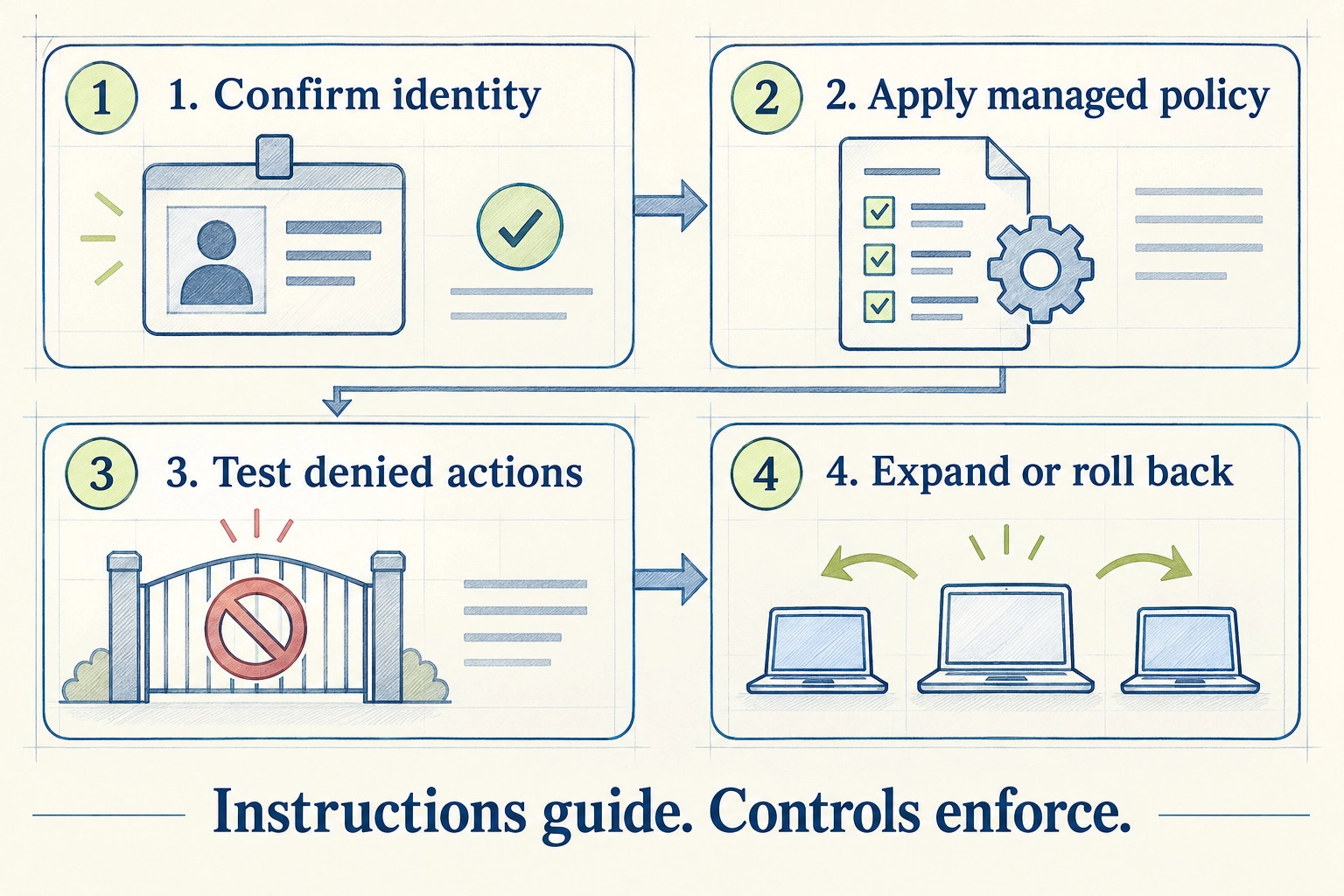
Start with one approved deployment route, verify its identity and managed settings on representative environments, then keep repository guidance and release approval separate. A successful login or a checked-in CLAUDE.md file does not establish that the organisation’s controls are active.
This guide covers team deployment and policy verification. For an individual developer’s daily implementation process, use our Claude Code workflow guide. The question here is what an engineering director and IT owner must settle before the next group joins.
The migration that looks finished but still uses the old account
Hypothetical rollout scenario. An engineering director moves developers from Anthropic Console access to Claude Enterprise. The aim is centralised account ownership and a consistent deployment policy.
One developer follows the new login instructions and starts a session. Everything appears to work. Before extending the rollout, IT checks the session’s identity and notices that a Console credential remains in the developer’s shell configuration.
Anthropic’s Console-to-Enterprise migration guide, dated August 26, 2026, warns that leftover credentials such as ANTHROPIC_API_KEY, ANTHROPIC_AUTH_TOKEN or an apiKeyHelper setting can take precedence over the new login and keep usage billing to the old Console organisation. Other environment settings can also change the authentication route.
The team pauses the expansion, fixes the intended route and repeats the check. The immediate consequence is a delayed rollout, rather than a larger fleet with unclear billing and control coverage.
Test the session that developers actually run. An invitation accepted in an admin console is only one part of the migration.
1. Choose the access route before writing onboarding instructions
Record where requests run, how users authenticate, where spending appears and who owns access removal. Do this separately for interactive developer sessions and automation.
Anthropic’s enterprise deployment overview distinguishes direct Anthropic access from supported cloud-provider deployments. Authentication and billing arrangements differ. An onboarding document written for Claude Enterprise should not be copied unchanged into an Amazon Bedrock or Microsoft Foundry environment.
Use a short deployment record:
- Approved route: the account, organisation and infrastructure the team intends to use.
- Users and environments: employees, contractors, devices, containers and automation covered by the rollout.
- Credential owner: who provisions, rotates and revokes access.
- Billing owner: who checks consumption and investigates unexpected charges.
- Offboarding evidence: how the team confirms a departed user or retired job no longer has access.
Keep the record free of secret values. A credential’s location and owner belong in operational documentation; the credential itself does not.
For Console-to-Enterprise migration, Anthropic treats interactive re-authentication and CI automation separately. Do not remove a pipeline’s working credentials until its replacement route is approved and verified. Do not assume a personal developer login is the correct identity for a shared automated job.
2. Define the controls you need to enforce
Translate broad requirements into observable behaviour. “Use Claude Code safely” is too vague to test. “This deployment must not access the synthetic secret fixture through either file tools or approved shell routes” is testable.
Start with the consequences of the work:
- Which repositories and data may the session access?
- Which tools and external integrations may it use?
- Which actions require approval?
- Can it alter shared records, create a pull request or trigger deployment?
- Who can change the policy, and how is that change reviewed?
Separate an approved action from an available capability. A developer may have permission to deploy through a human-operated process without granting the coding session the same access.
Anthropic’s settings documentation places managed settings above user, project, local and command-line settings, with documented exceptions. It distinguishes shared project settings from project-local and user settings. Review the exact key and installed version rather than assuming every value follows one simple rule.
Appropriate rules depend on the environment, commands, integrations and approved task. A copied permission list can block necessary work while leaving an unexpected execution path open.
3. Separate repository guidance from enforced policy
Give each layer a different job. Repository instructions explain how to work in the codebase. Managed settings apply organisational controls. Your delivery system decides what reaches production.
| Layer | Put here | Evidence to request |
|---|---|---|
| Organisation policy | Approved access, tools and operating restrictions | Effective policy source and behaviour checks |
| Repository guidance | Build commands, architectural boundaries and handover expectations | Versioned instructions matching the repository |
| Release process | Review, branch protection and deployment approval | A change cannot bypass the required release gate |
A CLAUDE.md instruction to avoid deployment is useful. It does not replace restricted credentials or protected release controls. Conversely, a locked-down environment still needs clear instructions about the intended change.
Assign an owner to repository guidance. When test commands change, update the instructions with the code. When a restriction changes, review it through the policy process. This keeps a coding convention from becoming an unreviewed organisation-wide rule.
For agents that call business tools, see our AI agent security guide. A local coding rollout should stay focused on its own access and delivery boundaries.
4. Verify each work surface instead of assuming coverage
A laptop policy and a cloud-session policy are not interchangeable. Anthropic’s managed-settings documentation describes different coverage for local sessions, hosted environments, Claude Tag and Cowork. It also explains how managed sources combine. Check the current rules for every surface you approve.
Create an environment matrix before the pilot:
| Environment | Record | Verify |
|---|---|---|
| Developer laptop | OS, client version, identity and policy channel | The expected source loads and restrictions work |
| Development container or remote host | Image version, credentials and policy delivery | Controls exist inside the running environment |
| Approved cloud session | Product surface and server or runner policy | Policy applies to that exact surface |
| CI job | Non-interactive identity, permissions and failure handling | The job cannot exceed its approved task |
Test the combinations you operate. There is little value in a large certification matrix for environments nobody uses. There is considerable value in checking the one contractor setup that differs from every employee laptop.
Record unsupported or unverified combinations as such. Do not turn “we have not tested this surface” into “the tool is secure everywhere.”
5. Test both allowed and denied actions
On a representative session, run /status to inspect the loaded settings sources. Use claude doctor to investigate rejected entries. Anthropic documents these commands in its settings guidance. A loaded source still needs behaviour checks against your requirements.
This is a proposed acceptance record, not an Anthropic certification or a guarantee of safety:
- Identity: the intended account and organisation.
- Policy: the expected managed source, with no unexplained rejected entries.
- Allowed task: a bounded change in a test repository completes under the policy.
- Denied task: a harmless synthetic fixture tests a restriction through relevant routes.
- Integration: an unapproved test connector cannot become available through an alternate configuration.
- Release: the change remains subject to normal review and deployment approval.
- Recovery: the owner can withdraw access or pause the workflow without losing evidence.
Use fictional data and disposable fixtures. Never test a restriction by inviting the agent to expose a real secret. If a check needs elevated access or changes a shared system, obtain appropriate approval first.
Record the result, environment and remaining uncertainty. A denied request in one session does not establish that every command, path or future version respects the same boundary.
6. Choose what to observe without collecting everything
Choose the operational questions first: which identity ran the task, which policy applied, whether execution failed and whether unexpected spending appeared. Choose the least sensitive evidence that answers them.
Anthropic’s monitoring documentation describes OpenTelemetry support and optional content logging. This OpenTelemetry export does not include user prompt content by default; enabling detailed content logging changes the information your telemetry system receives. Review collection, access and retention before enabling it.
Keep deployment health separate from productivity. A correctly authenticated session can still produce work that needs extensive review. Our Claude Code productivity guide covers accepted work, reviewer effort and rework. This rollout record establishes the setup, not a promised speed increase.
Expand only after the operating setup passes
Start with a cohort small enough for the named owners to support. Include representative environments and a clear pause condition. Fix unexplained identities, policy gaps and release bypasses before expanding.
A useful handover records the approved route, tested environments, policy revision, findings, exceptions, owners and next review trigger. Recheck affected controls after client, policy, credential or integration changes.
If your internal platform team owns these controls, additional consulting may add little. If the missing piece is product-side model integration, use our Claude integration architecture guide. That is a different decision from deploying a developer tool.
For a deployment review, tell Powercode Group which Claude Code environments you use and which boundary you need to verify. A useful starting scope is one approved route and a repeatable acceptance record.
Frequently asked questions
Does CLAUDE.md enforce organisation permissions?
No. It provides instructions and context. Use supported permission controls, restricted credentials and your delivery gates to enforce the relevant boundaries.
How do we verify managed settings are active?
Inspect the settings source with /status, investigate rejected entries with claude doctor, and test the behaviour your policy requires. Repeat this for the environments and work surfaces you approve.
Can we use the same authentication instructions for developers and CI?
Do not assume so. Interactive sessions and automated jobs need appropriate identities and provisioning. Follow the selected deployment route’s documentation and verify replacement credentials before retiring working ones.
When should we add more Claude Code seats?
After the representative cohort has a verified identity, effective policy, working review process and support owner. Measure delivery value separately; a deployment check does not prove productivity or justify every additional seat.